
Apply for FoodChat
Take orders on WhatsApp, straight to your counter. Complete one application, approve it online, pay your first month, and we handle the build. R590 per month. No setup fee, no commission on your orders. Cancel with 2 months’ notice.
How it works
From application to your first WhatsApp order, in four steps.
1. Apply and approve
Fill in your business details, upload your documents, menu and food photos, approve the FoodChat agreement online, and pay your first month (R590), which covers your full setup. About 15 minutes if your documents are ready.
2. Meta verification
Your ordering number runs on Meta’s WhatsApp Business Platform, so Meta verifies your business. We send you a short guide and help you through it.
3. PayFast
We open a new PayFast merchant account for your ordering number, so your customers’ payments go straight to your bank. You confirm it with a quick 2-step verification.
4. Build and go live
We load your menu and photos, set up your counter device, test every order type with you, and switch you on.
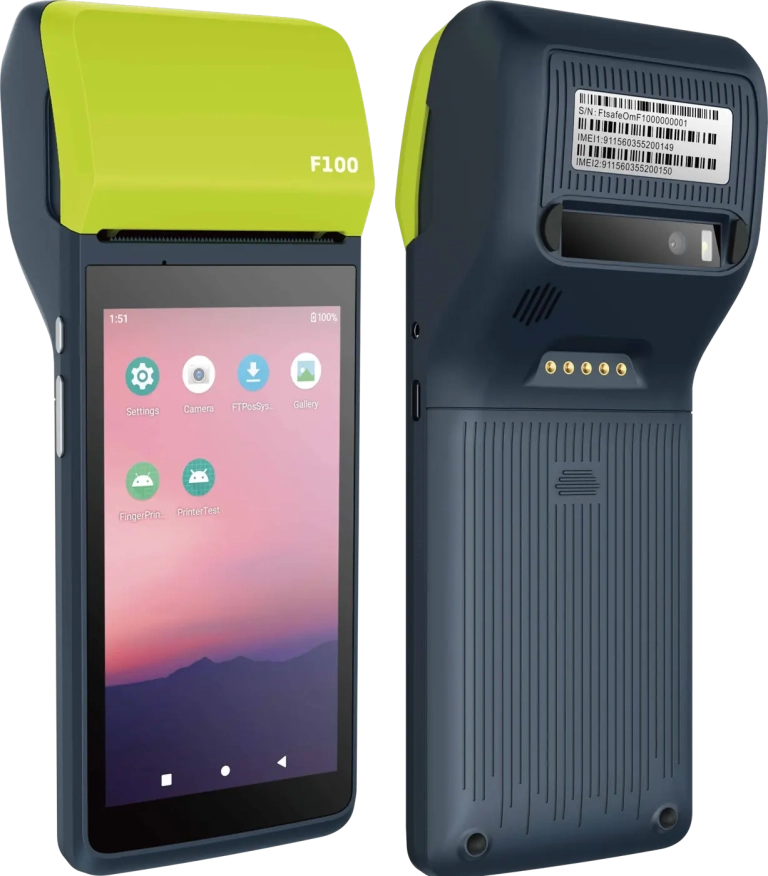
One device on your counter. Orders arrive and print.
Every FoodChat store runs on a compact handheld terminal with a built-in receipt printer. New WhatsApp orders appear on screen, the kitchen ticket prints instantly, and your staff accept, update and dispatch orders from the same device. No laptop, no separate printer, no app for your customers to download.
- 5-inch HD touchscreen
- Built-in thermal printer, 58 mm paper
- Wi-Fi (2.4 and 5 GHz) and 4G with dual SIM, so it keeps working if your Wi-Fi drops
- 4000 mAh battery, Android 11
- 197 × 77 × 52.6 mm, 323 g
Optional: R4,600 once-off, paid with your first month. Or use your own Android tablet, phone or PC. Supplied, loaded with your store and tested by FoodChat before it goes on your counter.
Before you start
Have these ready. Proof of address and the bank letter must be less than 3 months old.
Company
CIPC registration document · Proof of business address · Your logo
Owner / director
ID · Proof of residential address · Bank confirmation letter
Menu
Your menu (PDF or clear photos) · Food photos · The WhatsApp number customers will order on
Your application
What happens next
Once you submit, you go straight to secure checkout to pay your first month, and you receive an email copy of your application and the agreement you approved. We check your documents within one working day, send your Meta verification guide, and apply for your new PayFast merchant account. When PayFast sends your login, complete the 2-step verification and let us know.
Questions? WhatsApp or call Robin on 082 451 1604, or email info@foodchat.co.za.